The secure and 100% offline medical voice dictation
Current version 1.1.0
Compatible with MacOS & Windows • 2 min installation
Requires temporary internet access for license purchase and initial download of the artificial intelligence model.
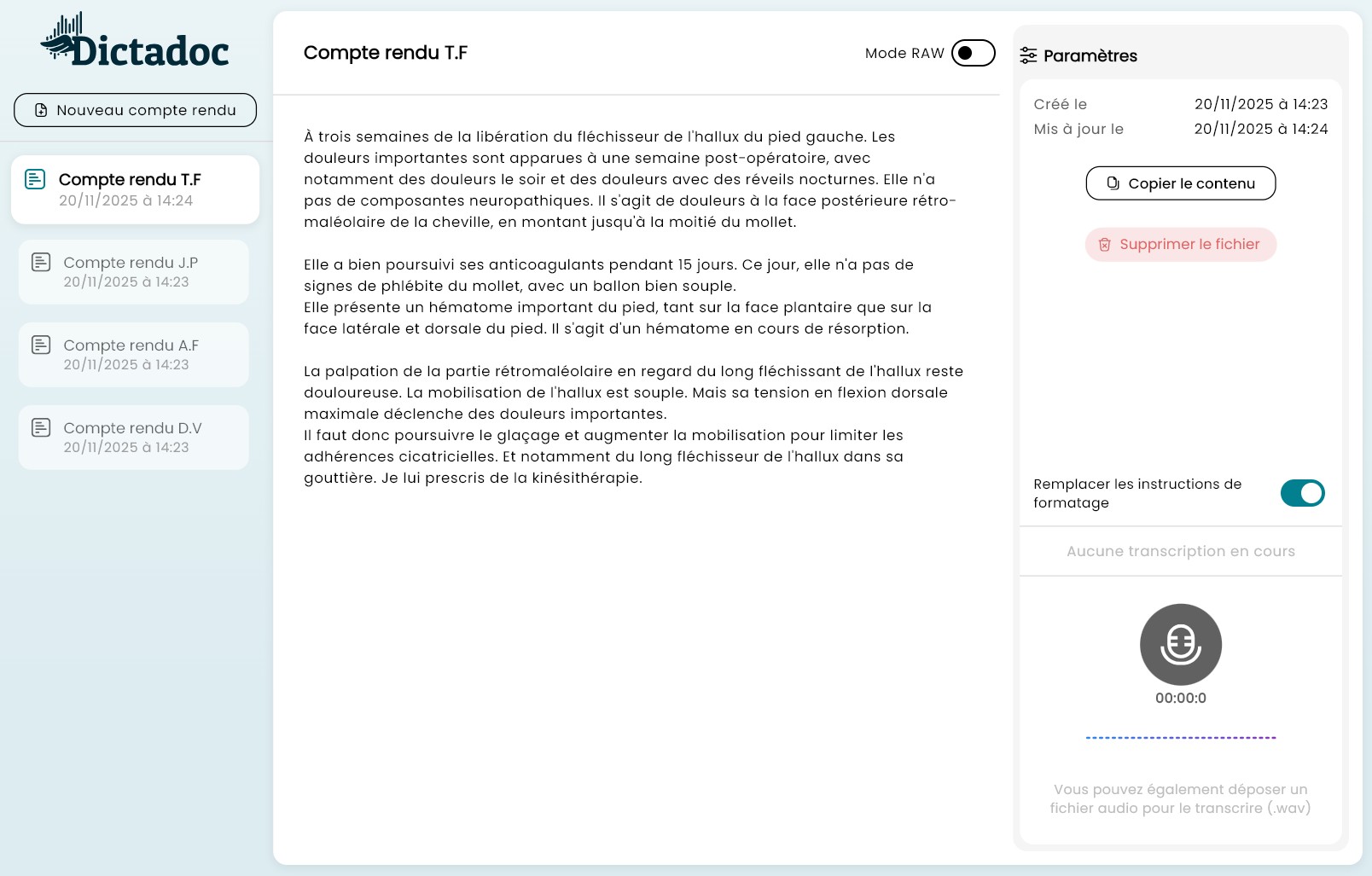
The reference tool for all medical and paramedical specialties
And any healthcare professional requiring an offline voice dictation solution.
Why choose Dictadoc?
A solution designed specifically to meet the security and productivity requirements of the medical field.
Absolute Confidentiality
Your data never leaves your computer. Unlike cloud solutions, Dictadoc works entirely offline. Once the application is closed, temporary data is deleted.
Medical Precision
Dictadoc understands complex medical vocabulary, anatomical terms, and dosages. Dictate naturally; the software handles punctuation for a professional result. An error? Contact us and we will fix the issue.
Ergonomics and Simplicity
Record, pause, edit. A streamlined interface designed to integrate into your workflow without friction. Copy to your business software in one click.
A powerful tool tailored for specialists
Smart Dictation
Control formatting with your voice. Say "New paragraph", "Period" or "Comma" and the text adapts instantly.
Total Confidentiality ("Privacy-First")
Your patient data is sacred. No audio files or transcriptions are ever transmitted via the internet or stored on a server. All processing remains strictly confined to your computer.
Integrated Editor
Proofread and edit your transcription in Dictadoc before exporting to your patient file.
Everything you need for efficient dictation
An interface designed for speed and data security.
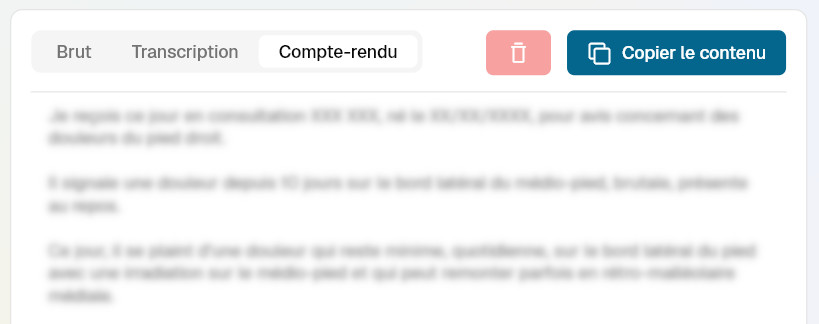
Three levels of precision
Adapt the result to your needs
- • Raw: raw transcription without formatting.
- • Transcription: result with the formatting you dictated ('period', 'comma', 'new line', etc.).
- • Report: our local AI reformulates and structures the text for an impeccable professional result (experimental feature).
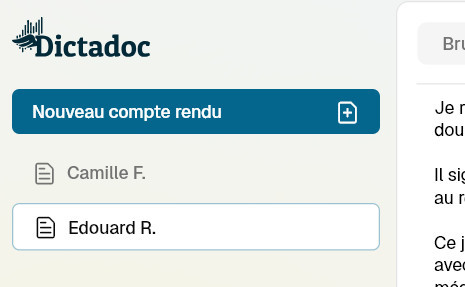
Multi-file management and privacy
Switch between patients without losing track thanks to dedicated tabs.
Radical security: as soon as you quit the app, all files and recordings are destroyed. No data is retained on the disk.
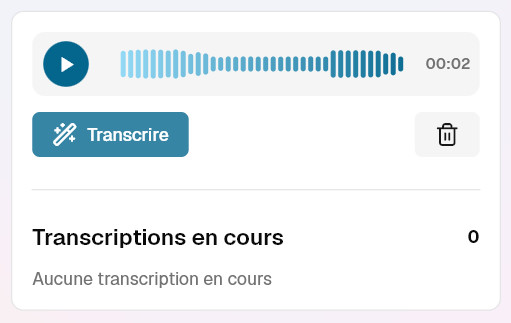
Uninterrupted workflow
Dictate at your own pace: record, pause, resume. Already have dictations? Drop your MP3 or WAV files directly.
The queue system manages background processing: monitor progress while seeing your next patient.
Reduce Administrative Time
Spend less time processing files asynchronously; dictate and validate your reports during the consultation.
Back-and-forth with secretary
Ready at the end of consultation
Accumulation of files
Files closed in real-time
~40 words / minute
~150 words / minute
Transparent Pricing
No hidden fees, no cost per minute, no nasty surprises. Just an affordable annual license to let you work with peace of mind.
- No commitment and no automatic renewal.
- Software updates included and free
Annual License
- Unlimited dictation access
- Compatible Windows & MacOS
- 100% Local Processing
License purchase is done directly via our partner Stripe. You will receive an email containing an activation code to enter into Dictadoc.
The 1-year access to Dictadoc begins upon activation.
Important Information and Frequently Asked Questions
Does the text appear in real-time as I speak?
No, and this is a deliberate technological choice to guarantee superior medical precision. Instant dictation "guesses" words as you go, which often creates context errors. By processing the recording once validated, Dictadoc analyzes full portions of your sentence to understand the global clinical meaning and transcribe complex terms.
Does the app comply with GDPR?
Absolutely. Dictadoc was designed with "Privacy by Design". No audio data or text is sent over the internet. All processing takes place on your computer's processor.
Do I need a specific microphone?
It is preferable to have a good quality external microphone if you use Dictadoc during consultation. However, microphones built into recent MacBooks and laptops work very well.
Does the software learn from my voice?
Dictadoc is "ready to use". It does not need a tedious learning phase and recognizes different accents and medical terminology from the very first use.
Can I use it on multiple computers?
The license is linked to a single installation. To use Dictadoc on multiple computers, you will need multiple independent licenses. Please note, licenses cannot be transferred between computers. Once activated, the license key is stored locally on your computer and cannot be moved.
Do I need a powerful computer for transcription to be fast?
Since Dictadoc works 100% locally for your security, speed depends on your hardware:
- On Mac: The experience is optimal on models equipped with Apple Silicon chips (M1, M2, M3...). Thanks to their dedicated neural engines, transcription is very fast.
- On Windows: If you have a dedicated graphics card (NVIDIA) with CUDA, processing will be fast. On a standard desktop PC (without a graphics card), the software will use the main processor (CPU): this works perfectly, but processing will be much slower once recording is finished. The absence of a graphics card increases generation time by 10 to 20x.
A few words about Dictadoc
Hello, I am the developer of Dictadoc.
Sharing my life with a surgeon, I was a 'privileged' witness to the administrative burden weighing on her evenings. I notably saw her testing dictation solutions that were either poor performing or very expensive. This project was born from this observation and the desire to offer something different.
I hope Dictadoc will meet your needs and simplify your consultations as it does for my better half:
« I use it daily for my reports now. I validate every feature and ensure the tool remains simple and adapted to the reality of my consultations. »
— F.
— Thibaud