 Français
  English
  Deutsch
  Italiano
  Español
 The secure and 100% offline medical voice dictation
Dictate your consultation reports on your computer (Mac & Windows). The offline, high-performance, and affordable voice dictation solution for healthcare professionals.
Current version 1.7.1
Compatible with MacOS & Windows • 2 min installation
Requires temporary internet access to buy and activate the license, and for the initial download of the artificial intelligence model.
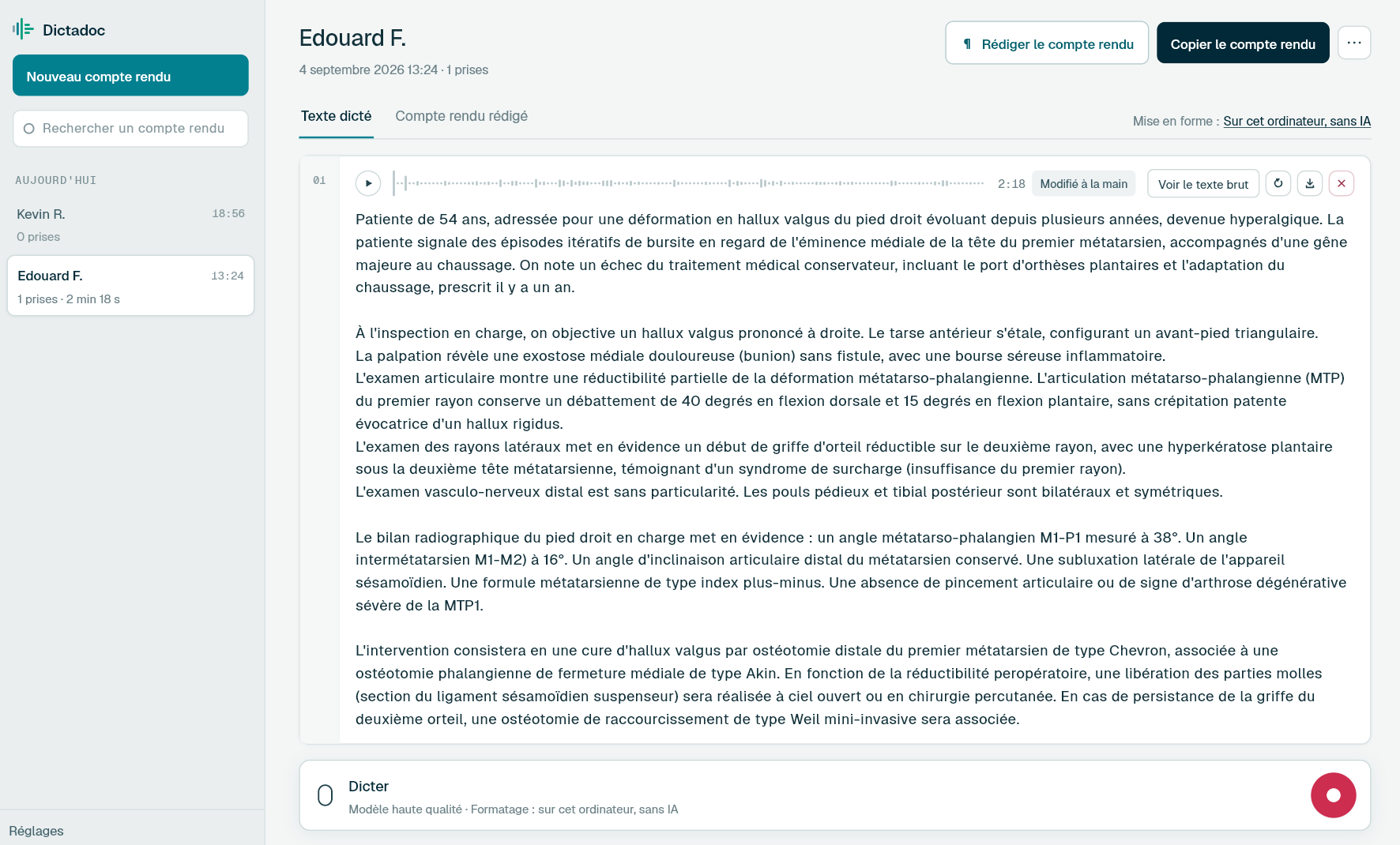
The reference tool for all medical and paramedical specialties
And any healthcare professional requiring an offline voice dictation solution.
Why choose Dictadoc?
A solution designed specifically to meet the security and productivity requirements of the medical field.
Absolute Confidentiality
Your data never leaves your computer. Unlike cloud solutions, Dictadoc works entirely offline. Your reports are kept in an encrypted database on your disk, and the key stays in your system keychain. If you prefer, Dictadoc erases everything when you quit.
Medical Precision
Dictadoc understands complex medical vocabulary, anatomical terms, and dosages. Dictate naturally; the software handles punctuation for a professional result. The words it was unsure of are checked again against the medical vocabulary. A word it keeps getting wrong? Add it to your vocabulary, or write to us.
Ergonomics and Simplicity
Record, pause, edit. The text is typed straight into the field you were in, or copied in one click. Common actions have a keyboard shortcut. Light or dark theme, and three interface sizes.
A powerful tool tailored for specialists
Smart Dictation
Control formatting with your voice. Say "New paragraph", "Period" or "Comma" and the text adapts instantly. Each language has its own commands: English, French, German, Spanish and Italian. The settings list every command for your language.
Text as you dictate
Turn the live preview on and the words appear while you speak. When you stop, your dictation is transcribed from the complete recording, and that is the version you keep.
Total Confidentiality ("Privacy-First")
Your patient data is sacred. No audio files or transcriptions are ever transmitted via the internet or stored on a server. All processing remains strictly confined to your computer.
Integrated Editor
Proofread and edit the text in Dictadoc, and play back each recording. Export the report, or copy it: pasted into Word, it keeps its paragraphs and lists.
Floating panel
Keep control of dictation while your practice software fills the screen. The panel stays on top and never takes the keyboard from you.
Dictation inside your software
One key starts the dictation without leaving the patient record, and the text is typed into the field you were in. The report also stays in Dictadoc.
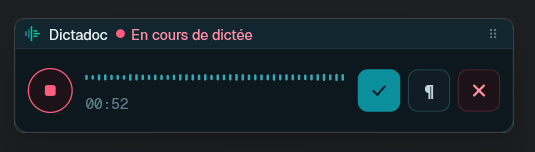
Dictate without leaving your software
One key starts the dictation, a second press sends it, and the text is typed into the field you were in. The patient record stays in front of you the whole time.
Observation
Patient seen again three weeks after surgery. The scar is clean, with no discharge.
Text inserted
The default, yours to change
- 1 You press the key
- 2 You dictate
- 3 The text arrives
A key that answers everywhere
You choose the key: you record it on the keyboard, and Dictadoc warns you if another application already uses it. It then answers even when Dictadoc sits behind your practice software: one press records, the next sends the dictation to be transcribed. Turned off, it goes back to your other applications.
The text is typed into the field
When the dictation ends, the report is written where your cursor was blinking: patient record, letter, a form in your browser. There is nothing to install on your software's side. You decide which window receives the text and whether it is laid out in paragraphs.
You stay in control
Both settings are off to begin with: Dictadoc writes into another application only the day you ask it to. The dictation stays in the report whatever happens, and if the text cannot be written, a closed window or a password field for instance, Dictadoc tells you.
Everything you need for efficient dictation
An interface designed for speed and data security.
Three levels of precision
Adapt the result to your needs
- • Raw: raw transcription without formatting.
- • Transcription: result with the formatting you dictated ('period', 'comma', 'new line', etc.).
- • Report: the text is laid out in paragraphs, ready for the patient file.
Three transcription models are available, from the fastest to the most accurate. You pick the one that suits your machine in the settings.
For the layout, paragraphs follow the words you dictated: it is instant and there is nothing to download. If you prefer, a model installed on your computer can choose the paragraphs for you. It decides where to break, it never rewrites your words.
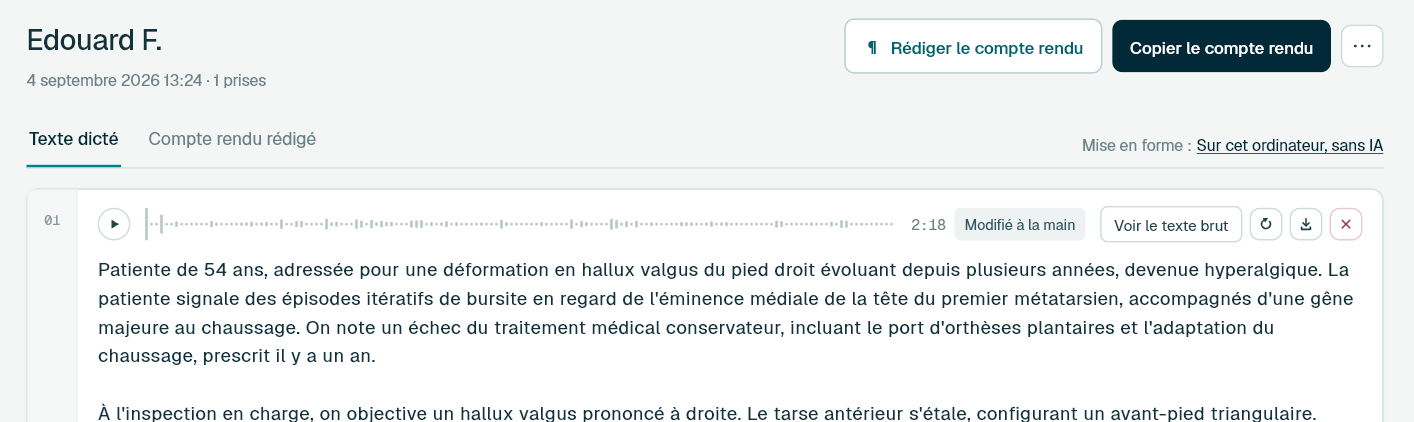
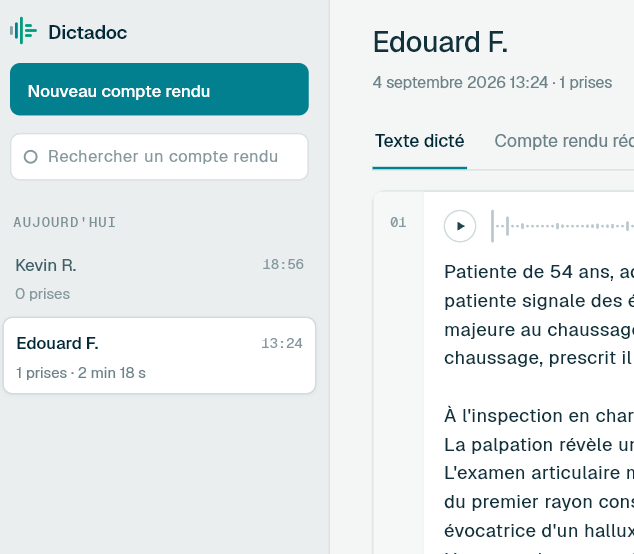
A library of reports
Move from one patient to the next without losing track: every report keeps its title, its recordings and its text. The list is grouped by day, and a search finds a report by its title.
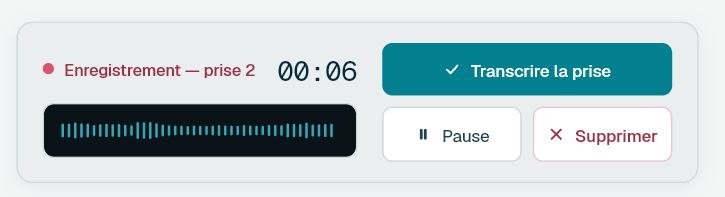
Dictate in several passes. Each take has its own card, plays back at the speed you choose, can be corrected by hand and re-transcribed with another model if the result does not suit you.
Take it all back whenever you want: a single recording as a WAV file, or the whole report as a ZIP archive with the audio and the texts.
Uninterrupted workflow
Dictate at your own pace: record, pause, resume. Already have dictations? Drop your files onto the report and they go to transcription one after another.
The queue system manages background processing: monitor progress while seeing your next patient.
The common formats are accepted: MP3, M4A (AAC), WMA, FLAC, AIFF and WAV. Dictadoc reads what your computer already knows how to read, so the list can be a little shorter or a little longer from one machine to the next. A recording from a handheld dictaphone, or from the one on your phone, goes to transcription without conversion.
Medical words, spelled right
Dictadoc reads back the words it was unsure of and checks them against the medical vocabulary of your language: "scindesmosis" becomes "syndesmosis". What it heard clearly is never touched.
The vocabulary exists in English, French, German, Spanish and Italian, each with its own agreement rules: a plural you dictated stays a plural.
Turn it on, and measurements and dosages are written as numbers: "ten milligrams three times a day" becomes "10 mg, 3 times a day". A number is only converted when a unit, a percentage or a frequency follows it, so "one patient" stays in words.
Your words and your drugs
Add the words Dictadoc gets wrong, written the way they must appear: “Cosantyx” becomes COSENTYX in every transcription. A right-click on the word in a report is enough, and the list exports for a colleague.
When you dictate in French, Dictadoc also knows the 400 drugs dispensed most in France and those of your specialty, by brand name and by molecule, from French public medicines data. In other languages, your drugs go in your vocabulary.
Every word it corrected is underlined in the report. When two drugs sound too alike, Dictadoc does not choose for you: it shows you both, and one click settles it.
Privacy and retention
The first time you open Dictadoc, you choose: keep your reports on your computer, or erase everything as soon as you quit the application.
If you keep them, your reports stay in an encrypted database. The encryption key is held by your system keychain, never beside the database. When you delete a report, its text and recordings are erased from the disk. Uninstalling leaves nothing behind.
Reduce Administrative Time
Spend less time processing files asynchronously; dictate and validate your reports during the consultation.
The classic method
Typing it yourself, or a dictaphone and a secretary
With Dictadoc
A yearly licence, no monthly subscription
Transparent Pricing
No hidden fees, no cost per minute, no nasty surprises. Just an affordable annual license to let you work with peace of mind.
- No commitment and no automatic renewal.
- Software updates included and free
Annual License
- Unlimited dictation access
- Compatible Windows & MacOS
- 100% Local Processing
By buying, you accept our terms of sale and licence.
License purchase is done directly via our partner Stripe. You will receive an email containing an activation code to enter into Dictadoc.
The 1-year access to Dictadoc begins upon activation.
Several practitioners in your organisation?
Dictadoc Server brings dictation to every workstation from a single server on your premises. Workstations need neither a graphics card nor internet access.
Important Information and Frequently Asked Questions
Does the text appear in real-time as I speak?
Yes, if you turn it on: the words appear a second or two behind your voice. It is a preview, not the report. As soon as you stop, your dictation is taken up again from the complete recording, and that pass is what guarantees superior medical precision: Dictadoc analyzes full portions of your sentence to understand the global clinical meaning and transcribe complex terms. The preview asks a lot of your machine, so it is off by default.
Does the app comply with GDPR?
Absolutely. Dictadoc was designed with "Privacy by Design". No audio data or text is sent over the internet. All processing takes place on your computer's processor.
Are my reports kept after I close the application?
Yes, unless you choose otherwise. The first time you open it, Dictadoc asks whether to keep your reports, and you can change your mind in the settings. Kept reports and recordings stay on your computer in an encrypted database, whose key is entrusted to your system keychain. Otherwise, everything is erased when you close the application, then again at the next launch. Uninstalling removes the database, the key and the downloaded models.
Can I get my recordings and my texts out?
Yes. Each recording downloads as a WAV file from its card, and a complete report exports as a ZIP archive containing the numbered audio files and, if you wish, the matching texts. The report can also be copied in one click: pasted into Word, it keeps its paragraphs and lists.
Can I have recordings I already made transcribed?
Yes. Drop your files onto the report: they are transcribed one after another, like dictations recorded in the application. The common formats are accepted, MP3, M4A (AAC), WMA, FLAC, AIFF and WAV, because Dictadoc reads what your computer already knows how to read; the exact list therefore depends on your machine. A WAV file the recorder never closed properly, a flat battery or an interrupted transfer, is repaired as it is read rather than refused.
How do I find a report I dictated last week?
If you turned retention on, your reports stay in the list, grouped by day: today, yesterday, last week. Each row shows its number of takes and its total duration. A search by title sits just above it, and you do not have to worry about accents or capitals.
Can I dictate while my patient record software is on screen?
Yes. Turn the floating panel on in the settings: a small window stays on top and lets you start and stop dictation without leaving your practice software. It never takes keyboard focus, so your cursor stays where you left it. You choose when it appears: every time you switch to another application, or only during a dictation.
Can I start a dictation without leaving my patient software?
Yes. Turn the dictation key on in the settings and choose your combination: one press starts recording, the next sends the dictation to be transcribed. It answers even when Dictadoc is behind your practice software, so you no longer have to click in the floating panel. Turned off, the key goes back to your other applications.
Can the text be written straight into the patient record?
Yes, if you turn it on. At the end of each take, the text is typed into the field that had the cursor, as if you had typed it yourself. No integration and no connector are needed: it works with software installed on your computer as well as with a record open in your browser. You choose which window receives the text and whether it is laid out in paragraphs. Whatever happens, the dictation stays in the report: if the text cannot be written, a closed window or a password field for instance, Dictadoc tells you and you pick it up in the application.
Do I need a specific microphone?
It is preferable to have a good quality external microphone if you use Dictadoc during consultation. However, microphones built into recent MacBooks and laptops work very well.
Can I adapt the display to my screen and to my eyesight?
Yes. Choose the light theme, the dark theme, or the one your computer uses, and one of the three interface sizes: text, icons and spacing grow together, without the layout breaking. The window opens to fit your screen and remembers where you left it.
Does the software learn from my voice?
Dictadoc is "ready to use". It does not need a tedious learning phase and recognizes different accents and medical terminology from the very first use.
Can I use it on multiple computers?
The license is linked to a single installation. To use Dictadoc on multiple computers, you will need multiple independent licenses. Please note, licenses cannot be transferred between computers. Once activated, the license key is stored locally on your computer and cannot be moved.
Do I need a powerful computer for transcription to be fast?
Since Dictadoc works 100% locally for your security, speed depends on your hardware:
- On Mac: The app is universal: it runs on Apple Silicon Macs and on Intel Macs. The experience is optimal on models equipped with Apple Silicon chips (M1, M2, M3, M4, M5): transcription runs on their graphics processor through Metal, which makes it very fast. On an Intel Mac, the main processor handles the work and it takes longer.
- On Windows: If you have a dedicated graphics card (NVIDIA) with CUDA or an Intel Core Ultra CPU, processing will be fast. On a standard desktop PC (without a graphics card), the software will use the main processor (CPU): this works perfectly, but processing will be much slower once recording is finished. The absence of a graphics card increases generation time by 10 to 20x.
How do I hear about new versions?
At launch, Dictadoc tells you when a more recent version is available and points you to the download page. It never installs anything on its own. Updates are included in your license.
A few words about Dictadoc
Hello, I am the developer of Dictadoc.
Sharing my life with a surgeon, I was a 'privileged' witness to the administrative burden weighing on her evenings. I notably saw her testing dictation solutions that were either poor performing or very expensive. This project was born from this observation and the desire to offer something different.
I hope Dictadoc will meet your needs and simplify your consultations as it does for my better half:
« I use it daily for my reports now. I validate every feature and ensure the tool remains simple and adapted to the reality of my consultations. »
— F.
— Thibaud