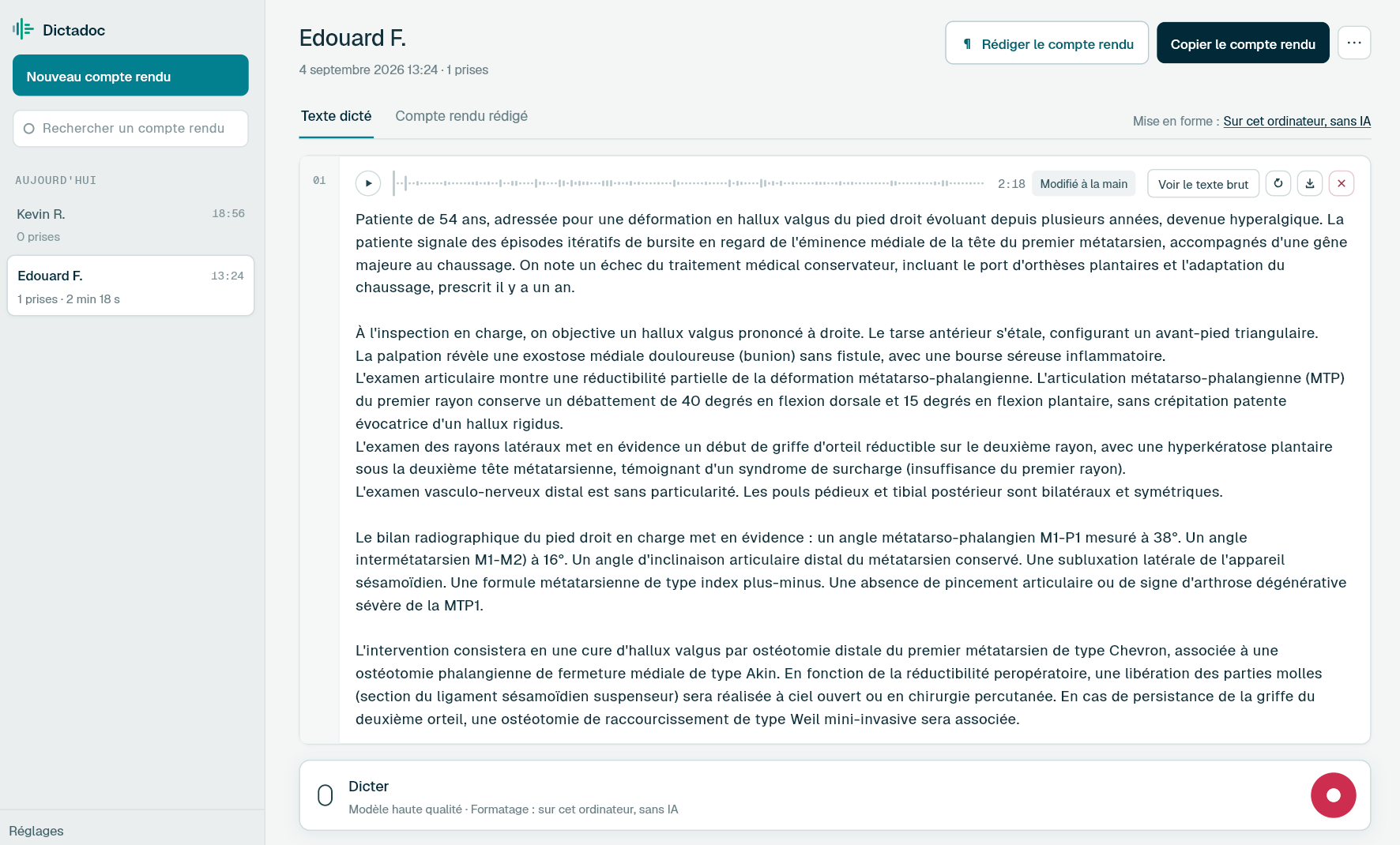
Dictate the history and examination on the evening of the appointment, and your opinion a few days later. Dictadoc transcribes your dictations and your dictaphone recordings on your computer, and keeps the report between sessions in an encrypted database.
A case runs over weeks. You read the records before the examination, then write the report in pieces afterwards, sometimes long afterwards.
Personal injury report
After an accident: the history, the injuries, the treatment, current symptoms, examination findings and prognosis. Cases keep coming, and each report waits until all the medical records have arrived.
Clinical negligence report
Your opinion on breach of duty, causation or both, for the court and the parties. Often long, written in several sittings, and every sentence will be read closely by the lawyers on both sides.
Summary of the medical records
Operation notes, GP records, letters and imaging, set out in date order. Often the longest part to write, and dictated with the records open, one entry after another.
Answers to written questions
Questions from the parties often arrive weeks after the examination. To answer them, you need to find what you observed that day and exactly how you worded it.
Day to day
What slows down a medico-legal report
A report written over several sessions
Today
The history gets dictated one evening, the examination after the appointment, the opinion the following week. Each session leaves one more file or draft, and the pieces have to be put back in order before you can read the report through.
With Dictadoc
Dictate the report in several takes. Dictadoc keeps it between sessions, unless you have opted to erase everything when you quit. The next day, search the list for its title and add a take at the end. Each take can be played back, and a mistake is fixed by hand or by transcribing the take again.
Dictation in several takes
Report library
Recordings waiting to be typed
Today
You dictate your findings into a dictaphone as you leave the examination, or on the train home. The files pile up, some of them very long, waiting for a secretary or an evening of typing.
With Dictadoc
Drop your recordings onto the report: Dictadoc transcribes them one after the other, on your computer. If the transcription repeats one sentence three or more times, the repeats are removed, the take shows a warning and you can transcribe it again.
Recording import
Repetition check
Finding the dictation when questions arrive
Today
Each case has its own file: the letter of instruction, the records, the correspondence, the report. When written questions arrive, the recording from the day of the examination is still on the dictaphone, or was deleted to make room.
With Dictadoc
Export the report as a ZIP archive: the numbered recordings and their texts go into the case file with everything else. For the final formatting, copy the text into Word, where its paragraphs and lists arrive intact.
Audio and text export
Copy to Word
Dictation example
Symptoms and examination, dictated after the appointment
Personal injury claim after a road traffic accident, with the claimant examined for ongoing problems in the left knee.
What you say
Current symptoms [new line] the claimant reports pain in the left knee when climbing stairs and a feeling of instability on longer walks [full stop] she says [open quote] I can no longer run or carry my son [close quote][full stop][new paragraph] examination [new line] normal gait [comma] squat incomplete [full stop] no effusion in the left knee [comma] no ligamentous laxity [full stop] wasting of the left quadriceps [full stop] thigh circumference fifteen centimetres above the patella is forty-three centimetres on the left compared with forty-six centimetres on the right [full stop]
What Dictadoc writes
Current symptoms
The claimant reports pain in the left knee when climbing stairs and a feeling of instability on longer walks. She says "I can no longer run or carry my son".
Examination
Normal gait, squat incomplete. No effusion in the left knee, no ligamentous laxity. Wasting of the left quadriceps. Thigh circumference 15 cm above the patella is 43 cm on the left compared with 46 cm on the right.
The words in brackets are commands. Dictadoc replaces them with punctuation and line breaks.
With the "Numbers, units and dosages" setting turned on.
The settings list every command for your language.
Privacy
What you dictate stays on your computer
Transcribed on your computer
Your computer transcribes your voice itself. Nothing you dictate is sent over the internet.
Erased on quit, if you want
Choose to keep nothing, and reports and recordings are erased when you quit Dictadoc.
Encrypted on your disk
The reports you keep stay in an encrypted database whose key is held by your system keychain.
Questions
Before you try it
Can I transcribe a recording of the whole examination appointment?
Dictadoc is built for your own dictation. It does not separate speakers and does not produce a report from a conversation: a recording of several people would come out as continuous text, with nothing to show who is speaking. Dictate your findings after the appointment instead, in the application or on a dictaphone.
Can Dictadoc write my opinion or conclusions?
No. Dictadoc transcribes what you dictate. It does not write anything for you, does not summarise the records and does not assess any injury. It is not a medical device: the opinion is yours, and you review the whole text before you sign it.
Do my reports stay on the computer between sessions?
Yes, by default. Dictadoc keeps your reports in an encrypted database, locked with a key from the system keychain. You can still have everything erased when you quit: you choose the first time you open Dictadoc and can change your mind in the settings. When you delete a report, it is erased from the disk, so export it first if you want to keep the audio.
Are measurements and percentages written as figures?
Yes, when the "Numbers, units and dosages" setting is on: "forty-three centimetres" becomes "43 cm" and "twelve percent" becomes "12%". Durations in days or months, dates and ranges of movement in degrees are not converted. Dictadoc does not check any value.
My dictaphone records in DSS or DS2. Can Dictadoc read those files?
Not directly. Dictadoc reads what your computer can read: MP3, M4A, WMA, FLAC, AIFF and WAV, depending on the machine, and a Mac does not read WMA. DSS and DS2 are not among them. Convert the file to MP3 or WAV first, then drop it onto the report.
Install the app on Mac or Windows, buy a licence, then enter the key you receive by email in Dictadoc. The licence year starts on the day you activate it.
 Français
 English
 Deutsch
 Italiano
 Español