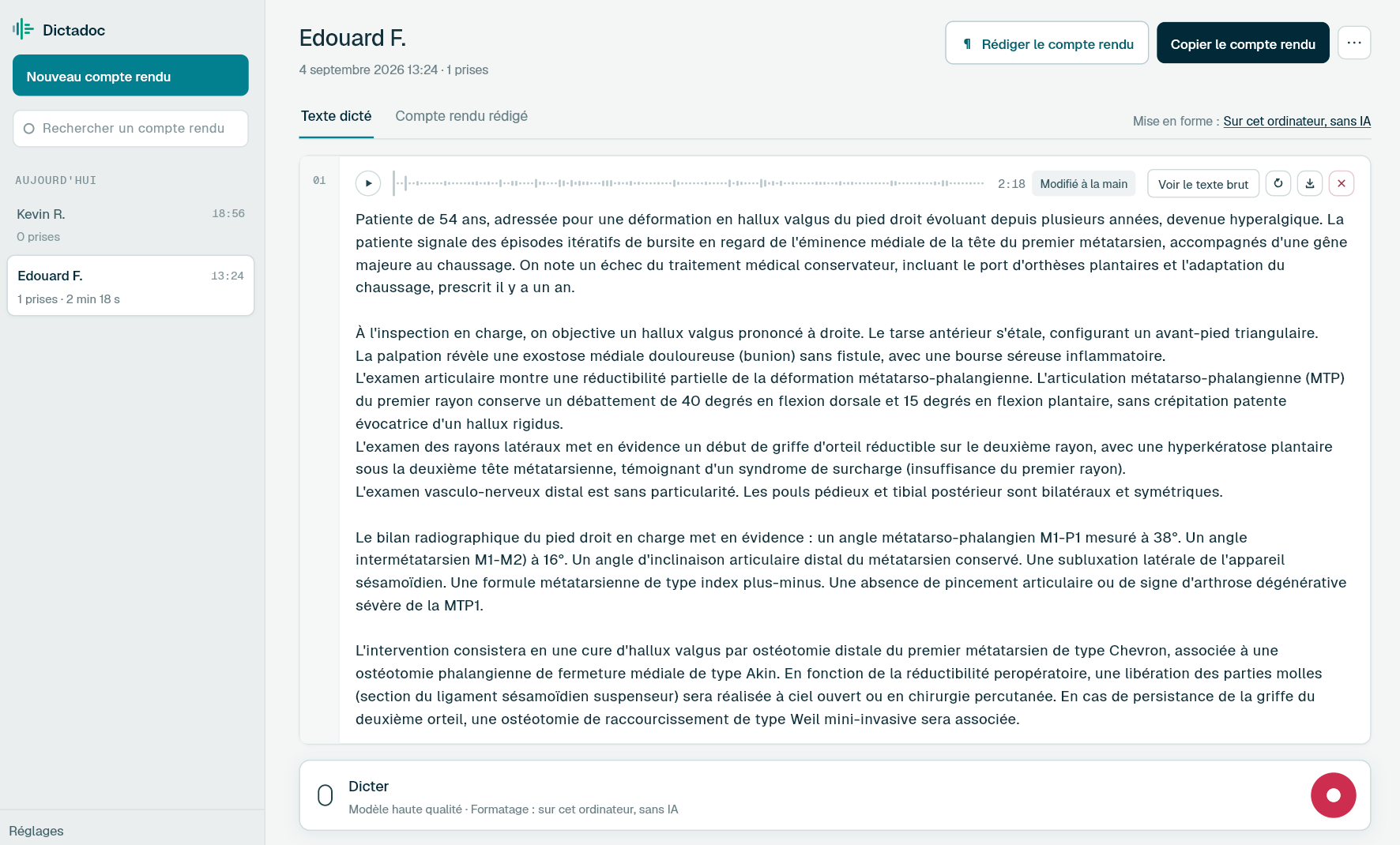
Dictate the endoscopy report while the room is turned around, and pick it up again if you are called away. Dictadoc transcribes locally, keeps every take so you can play it back, and can write sizes and volumes in digits.
A morning endoscopy list, an afternoon clinic, sometimes a ward round too. Each has its own documents, and the endoscopy ones get written between patients.
The endoscopy report
Indication, sedation, bowel preparation, extent of the examination, findings, therapy and biopsies. It gets written as soon as the procedure is over, and the patient often gets a copy before leaving the unit.
The clinic letter
Abdominal pain, a change in bowel habit, follow-up of inflammatory bowel disease: the history, the examination and the plan, for the GP. It often books an endoscopy, or comments on biopsy results.
The hepatology follow-up letter
Liver function tests, elastography, imaging and treatment, for chronic hepatitis, fatty liver disease or cirrhosis under surveillance. The values change from one visit to the next, and every letter has to quote them without a mistake.
The discharge summary
Reason for admission, progress, procedures done, medication on discharge and follow-up. It gets prepared on the day the patient goes home, between the ward round and the endoscopy list.
Day to day
What piles up during an endoscopy list
A report interrupted at every procedure
Today
The report starts once the scope is out and stops as soon as someone needs you: a nurse, the anaesthetist, the next patient. When you come back, you have to find your place. When a colonoscopy follows a gastroscopy, both descriptions get written one after the other, from memory.
With Dictadoc
Dictate the report in several takes. If you are called away, pause, then resume where you stopped. The gastroscopy can go in one take and the colonoscopy in the next. Each take keeps its recording, ready to play back if a passage looks doubtful.
Dictation in several takes
Sizes and volumes to get right
Today
Polyp size shapes the choice of technique and the surveillance interval. The volume of ascites drained and the albumin given go into the record. These values get typed quickly, and a swapped digit does not always stand out when you read back.
With Dictadoc
Switch on "Numbers, units and dosages" in the settings. "Eight millimetres" is then written "8 mm", "six litres" becomes "6 L" and "forty grams" becomes "40 g". Numbers said without a unit do not change. Check each value before you send.
Numbers, units and dosages
One more window for every patient
Today
The computer in the room already shows the software where reports are written. Finding the dictation tool in another window, starting the recording, then coming back: you repeat it for every patient on the list.
With Dictadoc
Turn on the dictation key. From the room's software, one press starts recording and opens the floating panel, and the next press sends the dictation for transcription. The panel stays in front, but typing and the cursor stay in your software.
Dictation key
Floating panel
Dictation example
A colonoscopy report, dictated once the scope is out
Colonoscopy after a positive faecal immunochemical test.
What you say
caecum reached with the appendix orifice and ileocaecal valve identified [full stop] good bowel preparation [full stop][new paragraph] in the sigmoid colon [comma] an eight millimetre sessile polyp [comma] removed en bloc by cold snare [full stop][new line] in the transverse colon [comma] a four millimetre flat polyp [comma] removed by cold snare [full stop][new line] sigmoid diverticular disease with no sign of complication [full stop][new paragraph] normal mucosa throughout the rest of the colon [full stop] both polyps retrieved and sent for histology [full stop][new paragraph] surveillance interval to be decided once histology is available [full stop]
What Dictadoc writes
Caecum reached with the appendix orifice and ileocaecal valve identified. Good bowel preparation.
In the sigmoid colon, an 8 mm sessile polyp, removed en bloc by cold snare.
In the transverse colon, a 4 mm flat polyp, removed by cold snare.
Sigmoid diverticular disease with no sign of complication.
Normal mucosa throughout the rest of the colon. Both polyps retrieved and sent for histology.
Surveillance interval to be decided once histology is available.
The words in brackets are commands. Dictadoc replaces them with punctuation and line breaks.
With the "Numbers, units and dosages" setting turned on.
The settings list every command for your language.
Privacy
What you dictate stays on your computer
Transcribed on your computer
Your computer transcribes your voice itself. Nothing you dictate is sent over the internet.
Erased on quit, if you want
Choose to keep nothing, and reports and recordings are erased when you quit Dictadoc.
Encrypted on your disk
The reports you keep stay in an encrypted database whose key is held by your system keychain.
For a clinic or hospital
Dictadoc Server transcribes for every workstation in your organisation, on a server on your premises. Nothing leaves your network.
Can the text go into the software where I write endoscopy reports?
Yes, with the "Write the text into the active application" setting. When the dictation ends, the text is entered at the cursor, with no connector, and you choose which window receives it. Dictadoc does not pick up images or data from the endoscopy stack: it writes what you dictate.
Does Dictadoc recognise endoscopic classifications?
Dictadoc has no list of classifications or scores. Terms the engine is unsure about get matched against a general medical vocabulary, and Dictadoc learns nothing from your corrections on its own. A name it gets wrong can go into your vocabulary, spelled the way it must appear, and the next reports will have it right.
How are a size range or a size with a half written?
In words. Even with the numbers setting on, only a number followed by a unit becomes digits: "twelve millimetres" becomes "12 mm". A range such as "five to ten millimetres" and a size such as "two and a half centimetres" stay as you said them, rather than being written half in digits and half in words.
The endoscopy room computer is shared. What happens to what I dictate?
By default, reports and their recordings stay on the computer itself, in a database encrypted with a key that the system keychain holds. On a shared computer you may prefer to erase everything on close: Dictadoc asks the first time it opens, and the settings let you change your mind later. No dictation leaves the computer.
The computers in our procedure rooms have no graphics card. Is that a problem?
Transcription still works, just more slowly. On the processor alone, expect it to take 10 to 20 times as long as on a PC that has an NVIDIA card, or on a Mac with Apple silicon. In a unit with several rooms, Dictadoc Server can transcribe for all of those computers from one machine in the unit.
Install the app on Mac or Windows, buy a licence, then enter the key you receive by email in Dictadoc. The licence year starts on the day you activate it.
 Français
 English
 Deutsch
 Italiano
 Español