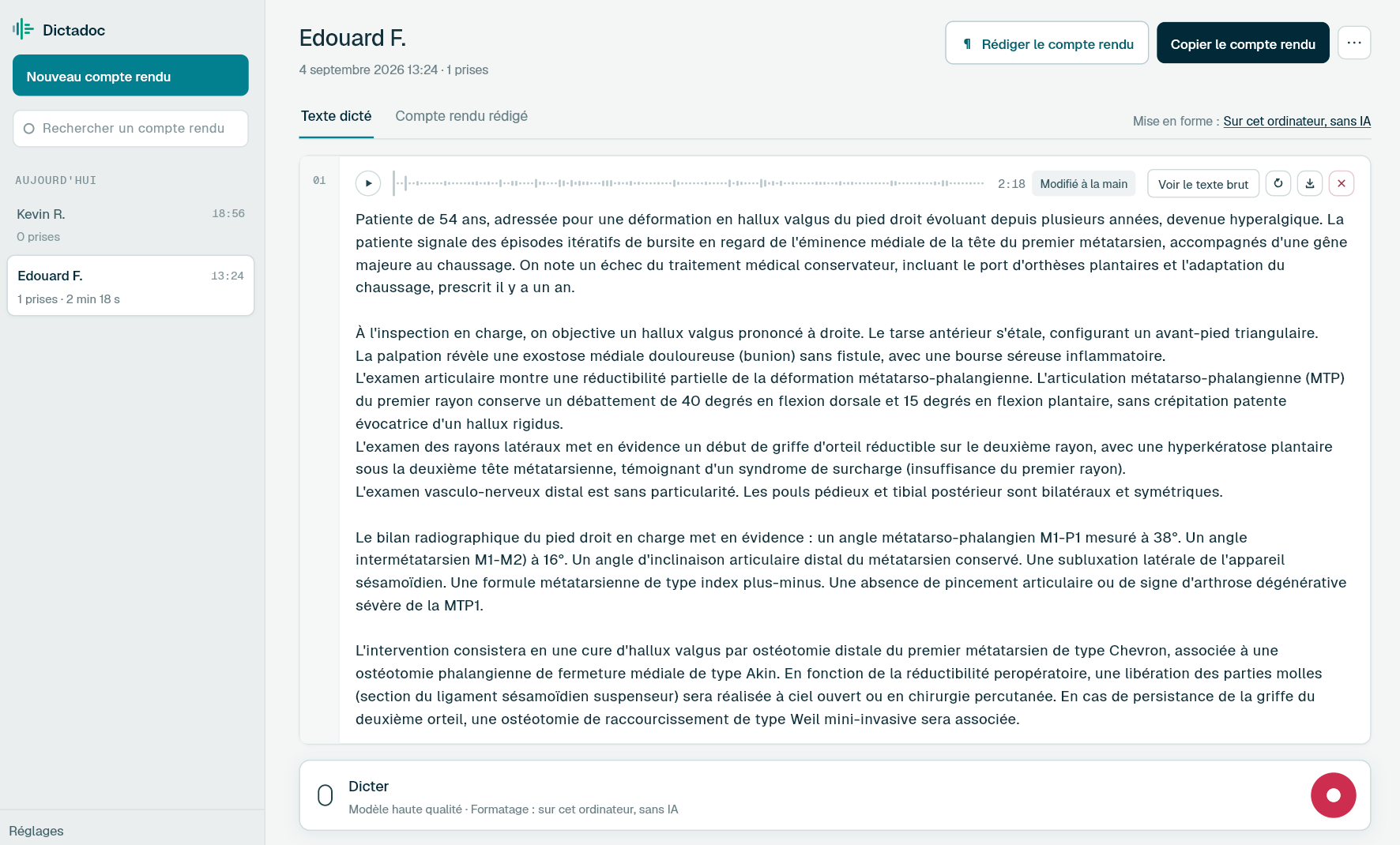
Dictate the operation note as you leave theatre, and finish it after the next case if you have to. Transcription stays on your computer, and Dictadoc checks the anatomical terms it had doubts about before handing back text split into paragraphs.
Theatre, clinic and on-call shifts each leave their own documents. They have different readers, and they get written at different times of the day and night.
The operation note
Indication, position, incision, findings, procedure, haemostasis, drains and closure. It gets dictated as the list goes on or in the evening, often in more than one sitting, and the ward team relies on it for everything that follows.
The on-call assessment
An acute abdomen in the emergency department, an ischaemic leg, a pneumothorax: the examination, the imaging and the decision to operate or observe. These notes are written overnight between bleeps, and the day team reads them at handover.
The discharge summary
Post-operative course, medication on discharge, wound or drain care and the follow-up plan. After day surgery it often goes home with the patient the same day, for the GP and the district nurse.
The clinic letter
Before surgery, the indication, the risks discussed and the date agreed. Afterwards, wound healing, the histology result and how often the patient will be seen. It goes to the doctor who made the referral.
Day to day
Where the operation note falls behind
An operation note interrupted by the list
Today
You start the note as you leave theatre, then get called for the next patient. The text sits half-typed on a theatre computer, and in the evening you have to find your place again, with a hazier memory of the procedure.
With Dictadoc
Dictate the set-up and the findings, then pause. After the next case, carry on in the same report. Each stretch becomes a take with its own recording to play back. Dictadoc keeps reports unless you choose otherwise, so this one is still waiting for you even if the app was closed in between.
Dictation in several takes
Report library
Recordings from a night on call
Today
Overnight you record the notes for emergency operations on your phone or a dictaphone. In the morning the files join the secretaries' queue, and the day team takes over patients whose operation notes have not been typed yet.
With Dictadoc
In the morning, create one report per operation and drop the matching recording onto it. MP3, M4A, WMA, FLAC, AIFF and WAV files, depending on what your computer reads, are transcribed right there, in turn if you drop several. You then read the text beside its audio.
Recording import
One block of text to break up
Today
A long dictation comes back as one paragraph. Before the note goes into the record, you split it by hand into set-up, findings, procedure and closure, so each reader can find the part they need.
With Dictadoc
Dictadoc returns the text in paragraphs. Unless you change it, the breaks follow the words you dictate, which takes no AI and no download. If you prefer, a model installed on your computer decides where to break, and it never rewrites a word. Saying "new paragraph" puts a break exactly where you say it.
Paragraph layout
Spoken punctuation
Dictation example
A cholecystectomy, dictated on the way out of theatre
Laparoscopic cholecystectomy for acute cholecystitis.
What you say
patient supine with arms out [full stop] open Hasson entry at the umbilicus and pneumoperitoneum at twelve millimetres of mercury [full stop] three further five millimetre ports [full stop][new paragraph] inflamed gallbladder with a thickened wall [comma] no perforation [full stop] Calot's triangle dissected to a critical view of safety [full stop][new line] cystic duct and cystic artery clipped and divided [full stop] gallbladder dissected off the liver bed [comma] retrieved in a bag [full stop][new paragraph] washout with five hundred millilitres of saline [comma] no drain [full stop] umbilical fascia closed with an absorbable suture [full stop] local anaesthetic to the port sites [full stop]
What Dictadoc writes
Patient supine with arms out. Open Hasson entry at the umbilicus and pneumoperitoneum at 12 mmHg. Three further 5 mm ports.
Inflamed gallbladder with a thickened wall, no perforation. Calot's triangle dissected to a critical view of safety.
Cystic duct and cystic artery clipped and divided. Gallbladder dissected off the liver bed, retrieved in a bag.
Washout with 500 mL of saline, no drain. Umbilical fascia closed with an absorbable suture. Local anaesthetic to the port sites.
The words in brackets are commands. Dictadoc replaces them with punctuation and line breaks.
With the "Numbers, units and dosages" setting turned on.
The settings list every command for your language.
Privacy
What you dictate stays on your computer
Transcribed on your computer
Your computer transcribes your voice itself. Nothing you dictate is sent over the internet.
Erased on quit, if you want
Choose to keep nothing, and reports and recordings are erased when you quit Dictadoc.
Encrypted on your disk
The reports you keep stay in an encrypted database whose key is held by your system keychain.
For a clinic or hospital
Dictadoc Server transcribes for every workstation in your organisation, on a server on your premises. Nothing leaves your network.
Does Dictadoc know the vocabulary of general and vascular surgery?
Partly. Transcription recognises the medical terms in common use. When it hesitates over a word, Dictadoc matches it against a list of anatomy and examination terms built mainly around the musculoskeletal system, bone and soft tissue. General and vascular surgery have no list of their own in it.
Does Dictadoc have an operation note template?
No. Dictadoc has no templates or structured reports: it writes what you dictate, in the order you dictate it. If your department uses a set format, dictate its headings in that order with "new paragraph" between them, then move the text into the form in your own software.
How does the note get into the hospital record?
Without a connector, in one of two ways. With text insertion turned on, each take is typed into the field you clicked in. Otherwise, copy the report: pasted into Word or an email, it keeps its paragraphs and lists. Dictadoc is not integrated with any patient record system.
Are pressures and volumes written as numbers?
Yes, as long as "Numbers, units and dosages" is turned on. "Twelve millimetres of mercury" is then written "12 mmHg", and "five hundred millilitres" becomes "500 mL". The number of ports or a suture size, said with no unit, stays in words.
Where do my operation notes go once they are dictated?
Nowhere outside your computer. Dictation, transcription and correction all happen on it. Unless you chose to erase everything when Dictadoc closes, reports stay in a list grouped by day, and your system keychain guards the key to their encrypted database. A search by title finds a note from last week.
Install the app on Mac or Windows, buy a licence, then enter the key you receive by email in Dictadoc. The licence year starts on the day you activate it.
 Français
 English
 Deutsch
 Italiano
 Español