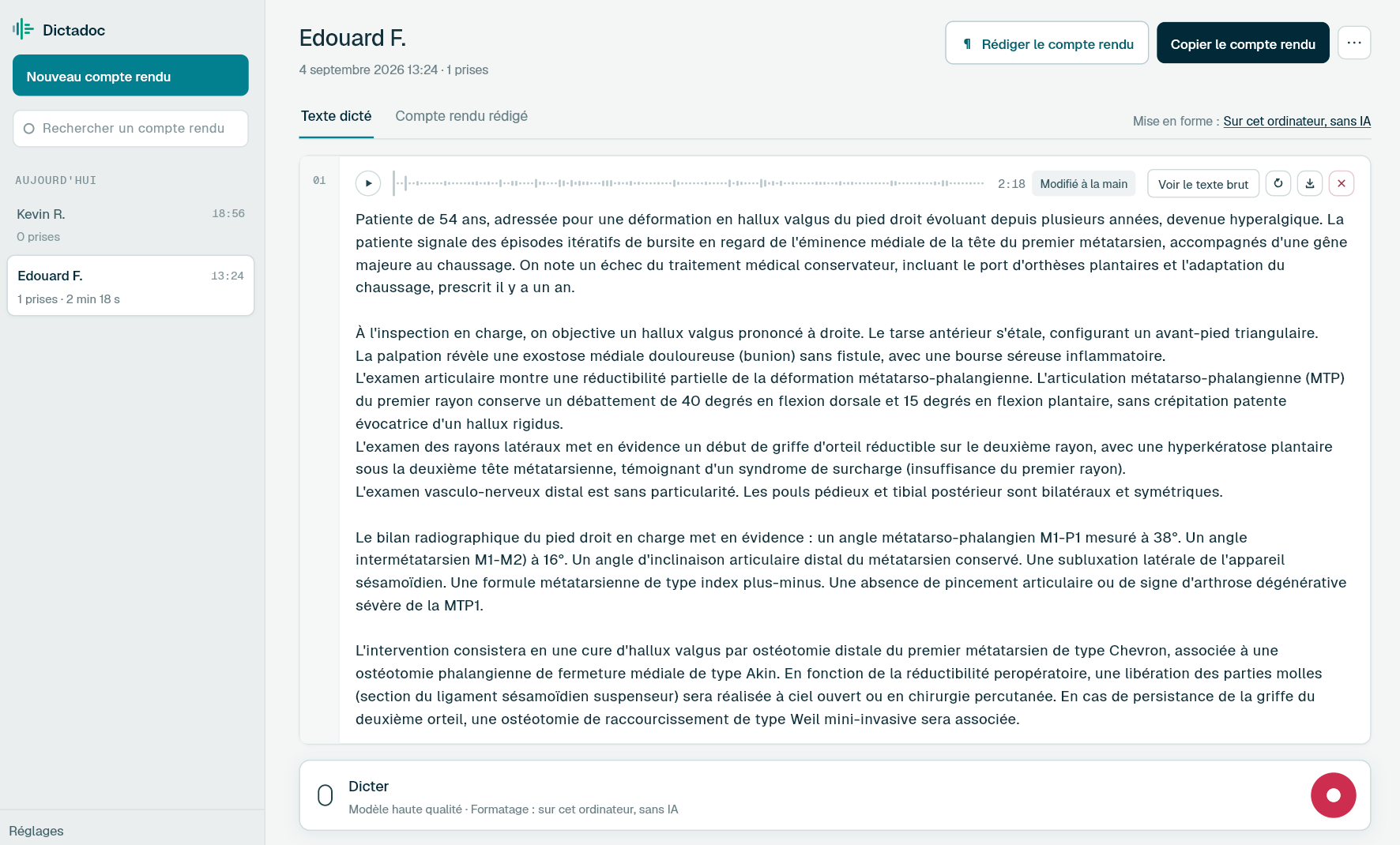
Dictate the clinical note as the patient leaves the chair, and the implant note once the surgery is over. Dictadoc transcribes on the practice computer, can keep a small panel above your software and can write the text into the patient's notes.
Appointments follow one another, and each one leaves an entry in the notes. The longer documents wait until the chair is free.
Clinical notes
The treatment carried out, the local anaesthetic, the materials used and the advice given. Written at every appointment, gloves off, while the nurse gets the surgery ready for the next patient.
Oral surgery and implant notes
A wisdom tooth extraction, an implant placement or a bone graft: the anaesthetic, the flap, the procedure, the implant dimensions and the sutures. Someone reads them months later, when the restoration is fitted, sometimes at another practice.
Referral letters
Referring a patient to an orthodontist, a periodontist or oral and maxillofacial surgery, or writing to the GP before extracting a tooth in a patient on anticoagulants. A few paragraphs that rarely fit between two appointments.
Dental trauma reports
A fall or a knock during sport: the teeth involved, fractures, mobility, radiographs and the treatment needed. Written on the day of the emergency appointment, and an insurer may ask for it years later.
Day to day
What slows the writing down in the surgery
The notes and the radiograph fill the screen
Today
On the surgery screen, the periapical radiograph is open next to the patient's notes. A dictation app opened on top covers both, and afterwards you have to put the cursor back in the notes.
With Dictadoc
Turn on the floating panel. It is a small window that stays above the notes and the radiograph, with buttons to start, pause and send the dictation, and it never takes the keyboard from your software. You describe the treatment with the image in front of you, and the cursor stays in the notes.
Floating panel
A dictated note still has to be copied across
Today
Dictating in a separate tool means copying and pasting into the notes, patient after patient. Some software refuses pasted text, so the note ends up typed by hand or cut down to a few words.
With Dictadoc
In the settings, let Dictadoc write into the active application. Click into the patient's notes, dictate, then send: the text appears in that field, with no connector. If your software will not take a paste, Dictadoc can type the note letter by letter.
Text typed into the field
Key-by-key typing
A recording that leaves the practice
Today
The note mentions an anticoagulant, bisphosphonates, a blood-borne virus. With online dictation, your voice goes to a server outside the practice, so you carry on typing instead.
With Dictadoc
Dictadoc transcribes on the practice computer, and what you dictate stays on it. An internet connection is needed once, for activation and the model download. From the first launch, you can also choose to erase everything when the application closes.
Transcribed on your computer
Erased when you quit
Dictation example
Notes for an implant placement
Implant in the lower molar region, dictated once the patient has left.
What you say
Local anaesthetic by buccal and lingual infiltration [full stop] crestal incision and full-thickness flap raised [comma] adequate ridge width [full stop][new paragraph] sequential drilling under irrigation [full stop] placement of a four point one millimetre diameter implant with a length of ten millimetres [comma] good primary stability [full stop][new line] cover screw placed [comma] closed with resorbable sutures [full stop][new paragraph] periapical radiograph after placement satisfactory [full stop] post-operative instructions given [open parenthesis] cold compress [comma] soft diet [comma] no rinsing on the first day [close parenthesis][full stop] review in ten days [full stop]
What Dictadoc writes
Local anaesthetic by buccal and lingual infiltration. Crestal incision and full-thickness flap raised, adequate ridge width.
Sequential drilling under irrigation. Placement of a 4.1 mm diameter implant with a length of 10 mm, good primary stability.
Cover screw placed, closed with resorbable sutures.
Periapical radiograph after placement satisfactory. Post-operative instructions given (cold compress, soft diet, no rinsing on the first day). Review in ten days.
The words in brackets are commands. Dictadoc replaces them with punctuation and line breaks.
With the "Numbers, units and dosages" setting turned on.
The settings list every command for your language.
Privacy
What you dictate stays on your computer
Transcribed on your computer
Your computer transcribes your voice itself. Nothing you dictate is sent over the internet.
Erased on quit, if you want
Choose to keep nothing, and reports and recordings are erased when you quit Dictadoc.
Encrypted on your disk
The reports you keep stay in an encrypted database whose key is held by your system keychain.
For a group practice
Dictadoc Server transcribes for every workstation in the practice from one computer. Workstations need neither a graphics card nor internet access.
It transcribes everyday medical vocabulary. When a word stays uncertain, Dictadoc checks it against a general medical list with nothing specific to dentistry. Check periodontal and endodontic terms.
Are tooth notations and implant sizes written as figures?
Implant sizes are, with "Numbers, units and dosages": "four point one millimetres" becomes "4.1 mm". Numbers are converted only when a unit follows them, or a percentage, or a frequency. A tooth dictated as "lower right six" has no unit and stays as it was said.
Where does the text go if I open the next patient during transcription?
You choose in the settings. With "Where you started", the text goes back to the window you dictated from. With "Frontmost window", it goes to the window that is in front at the moment the text is ready. If your software shows the next patient in the same window, wait until the note is written before you switch.
Can Dictadoc fill in the charting in my practice software?
No. When Dictadoc types into your practice software, the text goes where the cursor is, as if you had typed it: a note, a comment, a letter. Dictadoc does not mark teeth on a chart, does not add treatment items and does not connect to any dental software.
Is the surgery computer fast enough?
It depends on its hardware, because transcription happens on that computer. Apple silicon Macs and PCs with an NVIDIA card get the note back quickly. On the processor alone, the same note takes 10 to 20 times longer, which you notice between patients. In that case, pick the quickest model in the settings.
Install the app on Mac or Windows, buy a licence, then enter the key you receive by email in Dictadoc. The licence year starts on the day you activate it.
 Français
 English
 Deutsch
 Italiano
 Español